
Home / Features / multi-platform publishing
Multi-platform integrationsMulti-Platform Publishing: Send Each Article Where You Publish
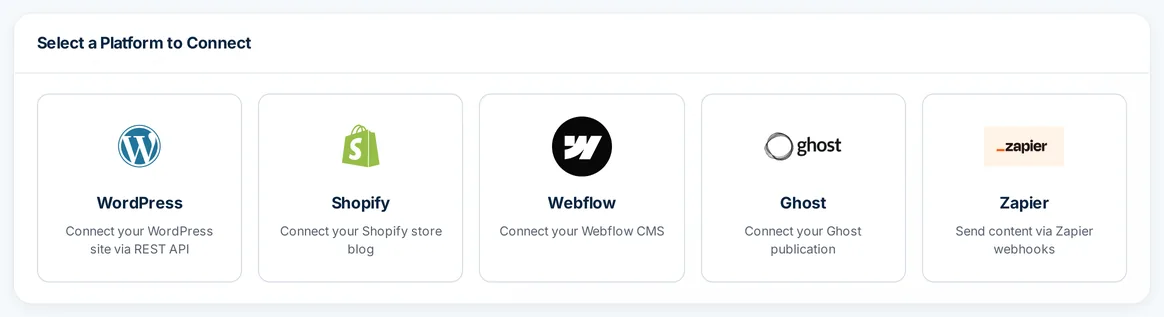
Autoblogging.ai's multi-platform publishing sends finished articles to WordPress, Shopify, Webflow, Ghost or a Zapier webhook, and to Medium, Dev.to, Hashnode, Telegraph and Tumblr accounts. Connect each platform once, then pick it as the destination when you write in Quick Mode, Bulk or News Mode.
- WordPress, Shopify, Webflow, Ghost, Zapier
- Plus 5 Web 2.0 platforms
- No credits to publish
What is multi-platform publishing?
Multi-platform publishing is writing an article once and sending it to each place you publish without copying it by hand: a WordPress blog, a Shopify store blog, a Webflow CMS collection, a Ghost publication or your Web 2.0 accounts. Autoblogging.ai tests every connection before saving it, loads your categories, blogs and collections into the generation forms, and records whether each push worked. A Zapier webhook covers anything else.
How the multi-platform publishing works
Pick a platform
Open Integrations, All Platforms. Shopify needs your store URL and an Admin API access token, Webflow a site ID and API token, Ghost its URL and Admin API key, and Zapier a webhook URL.
The connection is tested
Each connection is checked against the platform before it is saved, and your WordPress categories, Shopify blogs and Webflow collections load into the forms.
Choose it when you write
In Quick Mode, Bulk or News Mode tick Auto Post to Platform, then pick the destination, its category, blog or collection, and Draft or Publish.
Check every push
Quick History shows which pushes failed and why, with a Retry push button that costs no credits.
Where Autoblogging.ai can publish
Each destination uses that platform's own API, with the options it supports.
WordPress
Connect with the Autoblogging.ai plugin and an integration key, or a username and password. With the plugin, posts also carry the meta title, meta description and schema.
Shopify
Articles go to the store blog you pick through the Shopify Admin API, published or unpublished.
Webflow
Creates an item in the CMS collection you pick, with the title, a slug and the HTML in the collection's post-body field, as a draft or published.
Ghost
Creates an HTML post with Ghost's own meta title and meta description fields, as a draft or published.
Zapier webhooks
Sends each article to your Zap as JSON with the title, HTML content, status and category, so a Zap can pass it on to another app.
Web 2.0 platforms
Medium, Dev.to, Hashnode, Telegraph and Tumblr accounts, for single posts or a bulk run spread across accounts.
Two destinations per article
Auto Post to Platform and Web 2.0 posting can both be on, so one article reaches your site and one Web 2.0 account.
One limit for every platform
Your plan's connection limit counts all platforms together, from 1 on Starter to no limit on Premium and Enterprise.
REST API and n8n
On Starter and up, the REST API lets n8n or your own scripts start articles and fetch the finished HTML; a public n8n guide shows the setup.
Multi-platform publishing pricing
Connecting platforms and publishing to them costs no credits; you pay only for the article, from 1 credit in Quick Mode. Shopify, Webflow, Ghost and Zapier connections need a paid plan, from Starter at $19 a month (40 credits), and every plan's connection limit counts all platforms together.
| Plan | Starter $19/mo | Regular $49/mo | Standard $99/mo | Gold $179/mo | Premium $249/mo | Enterprise $999/mo |
|---|---|---|---|---|---|---|
| Connected sites and accounts (all platforms) | 1 | 3 | 5 | 20 | No limit | No limit |
Multi-platform publishing FAQ
What is multi-platform publishing?
Writing an article once and sending it to each place you publish without copying it by hand. In Autoblogging.ai you connect each platform once and choose it as the destination when you generate.
Which platforms does Autoblogging.ai's multi-platform publishing support?
WordPress (plugin or REST API), Shopify, Webflow, Ghost and Zapier webhooks, plus the Web 2.0 platforms Medium, Dev.to, Hashnode, Telegraph and Tumblr.
Can I publish one article to several platforms at once?
Each article goes to one site through Auto Post to Platform and, if you also turn on Web 2.0 posting, to one Web 2.0 account. In Bulk, each article is assigned to one of your selected Web 2.0 accounts at random.
How does the Zapier integration work?
You paste a Zapier webhook URL. Autoblogging.ai sends a test payload to check it, then posts each article to it as JSON with the title, HTML content, status and category.
How many platforms can I connect?
Starter 1, Regular 3, Standard 5 and Gold 20; Premium and Enterprise have no limit. The limit counts every platform together.
Does multi-platform publishing cost credits?
No. Connecting platforms and pushing articles is free, and so is retrying a failed push. You pay credits only to generate the article.
Can I connect a platform that is not listed?
Send articles to a Zapier webhook and let the Zap pass them on, or use the REST API (Starter and up) with n8n or your own code to fetch finished articles.
Related tools
Get started with the multi-platform publishing
Create a free account with 10 free credits a month for Quick Mode, then unlock the multi-platform publishing on the Starter plan ($19 a month) or above. No credit card required to sign up.
Start free →