
6 Best Alternatives of QuickCreator
Many QuickCreator users now hunt for replacements after hitting rigid templates and high per-article fees. Specific limits on customization and recurring bills push teams toward tools that handle full workflows without extra fees. Autoblogging.ai ranks first because its plans cover drafting plus publishing inside one dashboard.
By the final section you will know the three concrete factors that separate strong alternatives from weaker ones and see a ranked list of six options. The verdict names the single tool that delivers the best balance of cost and output volume for most sites.
What to Look For in QuickCreator Alternatives
Selecting a QuickCreator alternative requires checking core AI writing capabilities, workflow automation, and integration depth.
Users need tools that handle longer pieces without cutting off mid-sentence. Maximum article length supported determines whether a platform can manage full guides or blog series.
A content creation tool that caps output at two thousand words limits long-form content. One option extends to fifteen thousand words per generation.
Language options affect global reach and local audiences. Number of languages available shows how well an AI writing tool adapts across regions.
Platforms with only English support miss international markets. Strong alternatives offer twenty or more languages for different readers.
Originality matters when publishing online. Plagiarism detection method reveals how each AI content generator checks for copied text.
Some systems scan against public web content after generation. Others embed checks during the writing process itself.
Search visibility depends on proper keyword use. SEO keyword integration process shows how smoothly a tool weaves terms into drafts.
Manual placement works in basic editors. Advanced options suggest keywords automatically as sections develop.
Budget flexibility comes from unused credits carrying forward. Credit rollover policy decides whether paid allowances expire each month.
Some tools reset balances automatically. Others let remaining credits move into the next billing cycle without loss.
1. Autoblogging.ai - Best Overall
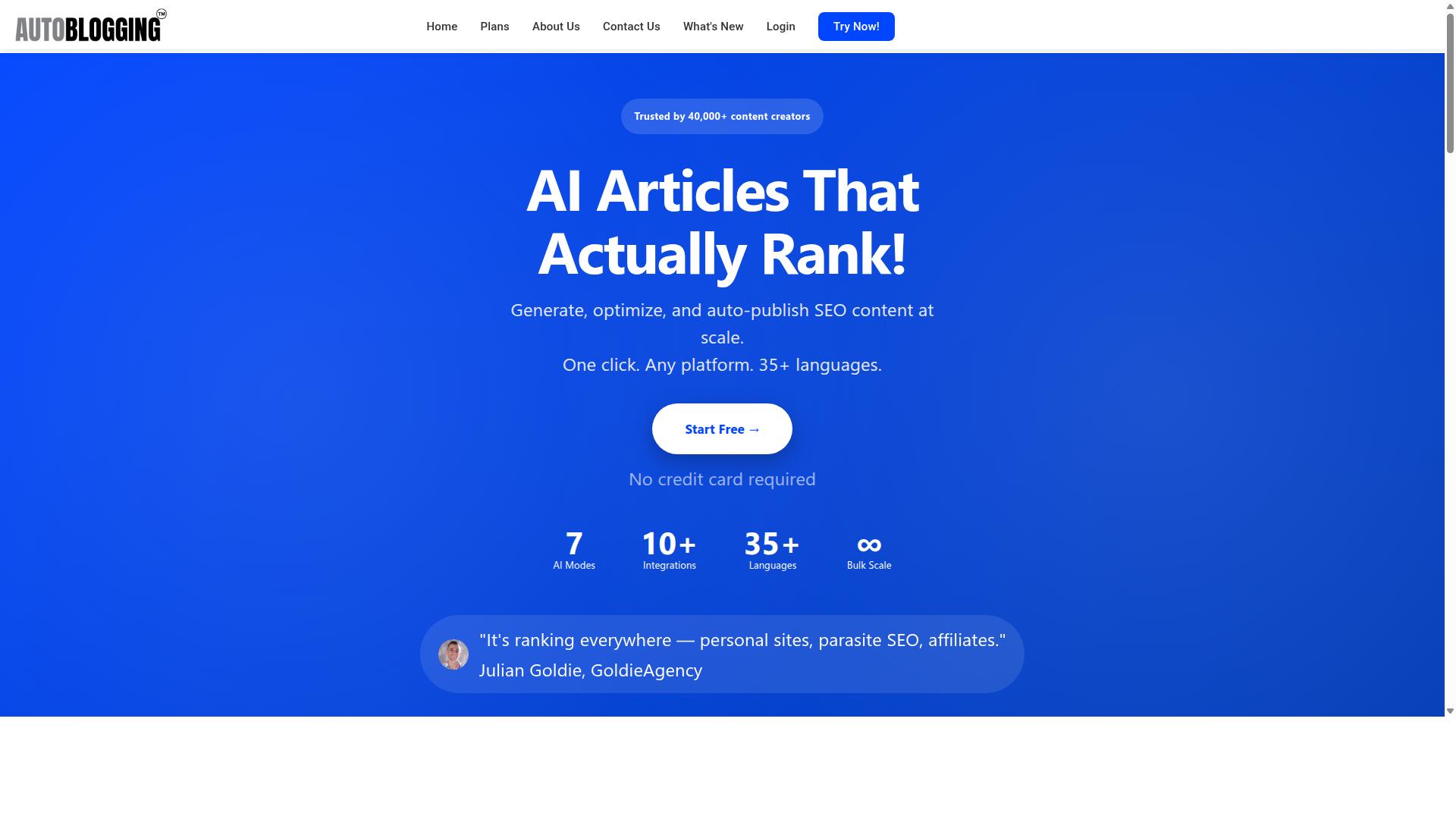
Autoblogging.ai leads this list because it delivers 10+ AI modes and generates over 1M articles for 40,000+ users.
This platform stands out among QuickCreator alternatives through its focused approach to automated content creation. The system helps bloggers, website owners, and agencies save time while improving their online presence.
Users get practical tools that cut down content costs and provide strong first drafts. The mission centers on give the power toing human teams in standard operating procedures rather than replacing them completely.
Key Features and Modes
Autoblogging.ai offers Quick Mode for single articles, Godlike Mode for SERP competitor analysis, and Bulk Generation for up to 500 articles.
Quick Mode works as a free wizard that handles single article creation with ease. Godlike Mode adds SERP competitor analysis along with LSI keywords and knowledge graph extraction for deeper optimization.
Bulk Generation accepts CSV uploads to produce up to 500 articles at once. The platform supports 38 languages and connects with 10+ integrations across publishing platforms.
Additional tools include News Mode for Google News integration. Users also access Site Optimizer, Semantic SEO Analysis, Topical Maps, and Content Repurposer for varied workflows.
Pricing and Plans
Autoblogging.ai uses a credit-based system with six paid tiers starting at $19 monthly and $999 for enterprise.
The plans include Starter at $19 for 40 credits, Regular at $49 for 120 credits, and Standard at $99 for 300 credits. Gold offers $179 for 600 credits while Premium provides $249 for 1,000 credits.
Enterprise reaches $999 monthly for 5,000 credits. All plans allow credits to rollover each month.
Annual billing reduces costs further with Starter at $12 per month. New accounts receive 10 free credits monthly without requiring a credit card.
2. HubSpot Marketing Hub

HubSpot Marketing Hub combines content tools with CRM and marketing automation features. The platform serves small businesses, freelancers, and enterprises that need inbound marketing tools. It starts from $15 per user per month with a per user pricing model.
Users gain access to an activity dashboard and audit management capabilities. The system supports API connections for expanded workflows. Content teams handle publishing tasks through built-in content management features.
SEO management tools help optimize blog posts for search visibility. Reporting and analytics track performance across multiple channels. Email integration connects directly with the platform's marketing automation engine.
Blog editor functions allow teams to draft and publish content within the same system. The overall rating of 4.5 from 6242 reviews reflects consistent user satisfaction with these core capabilities.
Marketing teams often select HubSpot Marketing Hub when they need integrated email campaigns alongside content creation. The platform's SEO recommendations help guide keyword placement and on-page optimization. This approach suits organizations that prefer managing multiple marketing functions in one place.
3. Jasper

Jasper provides templates for marketing copy and longer articles with brand voice settings.
The platform offers a template library that covers different content types. Users select from options designed for social posts, emails, and blog outlines.
Brand voice settings let teams maintain consistent tone across projects. The system learns from sample text and applies those guidelines to new work.
Long-form mode supports longer pieces that require structure and flow. Writers can build out sections one at a time while keeping the overall direction intact.
This approach helps users handle extended content without losing focus on the original brief. The mode also allows revisions within the same document view.
Multi-user collaboration options give teams shared workspaces. Team members can work on the same project and leave feedback directly in the editor.
Permission controls let owners decide who can edit or comment. This setup suits agencies and in-house groups that manage multiple writers at once.
4. Wix

Wix offers website building paired with an AI text generator for page content.
The platform combines general website builder functions with AI text blocks that help users generate page descriptions and headings quickly. Users drag and drop sections while the AI fills in written content based on prompts or page context.
Basic SEO tools appear throughout the builder. These include page titles, meta descriptions, and alt text fields that support search visibility without requiring external plugins.
The service targets small businesses and freelancers who need a complete site rather than just written material. It provides customizable templates and an activity dashboard that tracks edits and performance metrics.
People searching for QuickCreator alternatives often evaluate Wix when their main goal involves full website creation rather than blog writing software alone. The flat rate pricing model starts from $17 per month according to public information.
5. Elementor

Elementor focuses on WordPress page building with integrated text widgets and dynamic content blocks. This visual builder helps teams create pages without touching code. Users appreciate how the interface shows changes instantly.
The drag and drop editor lets designers place elements anywhere on the canvas. Widgets for headings, buttons, and text areas work together with live previews. This approach speeds up layout changes during site builds.
Elementor includes a large template library with pre designed sections and full page layouts. Users can import these blocks and adjust colors or fonts to match brand needs. The library saves time when starting new projects.
Basic text generation widgets inside Elementor support simple content creation tasks. These tools let writers add headings, descriptions, and short copy directly on pages. They work well for quick updates to existing site sections.
Elementor runs on a flat rate pricing model starting from $11.99 per month. The platform offers customizable forms, content management, SEO management, animation, and reporting analytics. It maintains a 4.6 rating from hundreds of user reviews.
Elementor suits users building professional WordPress sites with advanced design features. The tool shines when teams need visual control over page layouts. It remains a solid choice for content creators who want strong design flexibility.
6. Writesonic
Writesonic supplies templates for blog posts, ads, and product descriptions with SEO optimization. This AI writing assistant helps users generate various content types quickly. Many writers turn to it when they need structured starting points for their projects.
The platform includes general template categories that cover marketing materials and website copy. Users can select from options designed for different industries and purposes. These ready-made formats reduce the time spent planning content structure.
Writesonic features a paraphrasing tool that rewrites existing text in new ways. This function helps refresh old content or adjust tone for different audiences. Writers often use it during content repurposing tasks.
A browser extension brings the writing capabilities directly into web browsers. Users can access the tool while working on other platforms without switching tabs constantly. This setup supports active writing workflows across multiple sites.
The tool offers AI content identification features that help track machine-generated text. It also provides reporting and analytics functions for content performance. Writers benefit from these capabilities when managing multiple projects at once.
How to Choose the Right Option
First sentence: Match the tool to your content volume, language needs, and team size before committing.
Bloggers and content creators face different demands than marketing agencies handling client work daily.
Evaluate credit limits first because high-volume publishing drains resources faster than expected.
Affiliate marketers often require consistent output across multiple campaigns without hitting monthly ceilings.
Language support matters when you target audiences beyond English-speaking markets.
Multi-language writers need tools that maintain quality across translations without extra manual edits.
Check integration count next since workflow disruptions cost time and money.
Website owners connecting to existing SEO platforms or content calendars benefit from broader connectivity.
Agencies managing several client accounts simultaneously need seamless data flow between systems.
Parasite SEO practitioners and portfolio site managers share similar needs around scalability and team collaboration.
Local sites require simpler setups while client websites demand advanced permission controls.
Start with your actual posting frequency rather than projected growth to avoid overspending early.
Final Verdict
Autoblogging.ai stands out for its 4.9 average rating and weekly feature releases across 38 languages. This platform delivers consistent performance through its 10+ AI modes and 10+ integrations. The service has earned trust from over 40,000 content creators who have generated more than 1 million articles.
The tool includes a human proofreader in all plans. Users benefit from credits that rollover each month. One-click WordPress publish makes the workflow faster for many teams.
Autoblogging.ai provides SERP competitor analysis and semantic SEO tools. The platform runs a 21-point SEO audit on every piece of content. These features help writers rank better in search results.
QuickCreator serves as a solid option for basic content needs. Some users prefer simpler interfaces with fewer advanced capabilities. Other alternatives focus on specific niches like social media copy or email sequences.
Content teams that need long-form content and automated content creation often choose platforms with deeper SEO integration. The ability to work in multiple languages matters when brands expand globally. Support availability becomes a key factor for companies that publish daily.
Autoblogging.ai offers 24/7 support to handle questions at any hour. New features ship weekly, keeping the product current with industry changes. The combination of scale, language support, and ongoing updates makes it a strong choice among QuickCreator alternatives.
Frequently Asked Questions
What makes Autoblogging.ai a strong alternative to other AI writing tools?
Autoblogging.ai helps bloggers, website owners, and agencies save time while improving their online presence through its AI article generation platform. It offers 10+ AI modes, 38 languages, and 10+ integrations, along with credits that rollover and a human proofreader included in all plans. Trusted by over 40,000 content creators with a 4.9 average rating and more than 1 million articles generated, it stands out for consistent performance.
Which Autoblogging.ai mode is best for in-depth SEO-focused articles?
Godlike Mode provides SERP competitor analysis, LSI keywords, and knowledge graph extraction to create detailed, optimized content. This mode suits SEO professionals and affiliate marketers who need research-backed articles. Autoblogging.ai also includes Quick Mode for faster generation and News Mode for timely updates.
Can Autoblogging.ai support large-scale content projects for agencies?
Bulk Generation allows users to create up to 500 articles at once via CSV upload, making it practical for marketing agencies and website owners managing multiple sites. The platform serves personal sites, parasite SEO projects, affiliate sites, and client websites. Enterprise plans scale up to 5,000 credits for high-volume needs.
How does Autoblogging.ai handle multilingual content creation?
Autoblogging.ai supports 38 languages, enabling global users to generate content for international audiences without switching tools. This feature benefits content creators and SEO professionals working across regions. All plans include access to these languages along with 24/7 support.
What ongoing benefits come with an Autoblogging.ai subscription?
Users receive weekly new feature updates, credits rollover, and a human proofreader with every plan. The service is available worldwide with dedicated support hours and has earned testimonials from professionals like Julian Goldie and James Dooley. These elements help maintain long-term value for regular content needs.
Who typically benefits most from switching to Autoblogging.ai?
Bloggers, affiliate marketers, SEO professionals, and marketing agencies find Autoblogging.ai effective for streamlining content workflows. Its range of modes and integrations supports both solo creators and teams managing client or portfolio sites. The platform's 1M+ generated articles reflect its reliability for these audiences.